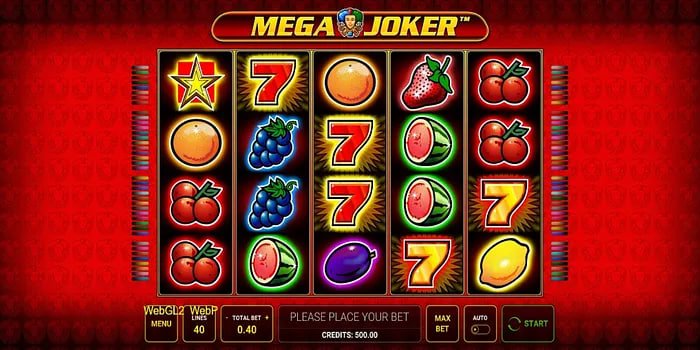
Why Filipino Players Prefer the pu777 App Over Desktop
For most players in the Philippines, the smartphone is the primary screen for everything — from messaging on Viber and scrolling through Facebook, to checking GCash balances and now, gaming. The pu777 app is designed with exactly this in mind. It doesn't feel like a desktop site squeezed onto a small screen. It's a mobile-first experience where the buttons are the right size, the menus make sense with one hand, and the games load fast even on LTE rather than WiFi.
Whether you're catching a quick slot session during your commute from Quezon City, watching a live PBA game feed while in Cebu, or placing a pre-match football bet from Davao, the app keeps everything accessible without friction. That ease of access is one of the main reasons players stick with mobile over desktop once they've tried it.
How to Download and Install the pu777 App on Android
Android users will download the pu777 app as an APK file rather than through the Google Play Store. This is standard practice for gaming apps in the Philippines, and the process is simple once you know the steps. Here's what to do:
1
Allow Third-Party Installations
On your Android device, go to Settings → Security (or Apps, depending on your device model) and enable "Install from Unknown Sources" or "Allow from this source." This allows APK files to be installed outside of the Play Store.
2
Access the Download Page
Visit the pu777 app page from your mobile browser and tap the Android download button. The APK file will begin downloading to your device.
3
Open the APK File
Once the download completes, open your notifications or file manager, tap the APK file, and follow the on-screen installation prompts. The process takes under a minute.
4
Log In or Register
Open the installed pu777 app, log in with your existing account credentials, or tap Register to create a new account — takes about two minutes.
5
Deposit and Start Playing
Head to the Deposit section, top up your account in PHP via GCash, Maya, or bank transfer, and you're ready to play.
If you encounter any issues during installation, make sure your Android version is 7.0 or higher and that you have at least 150MB of free storage. For persistent issues, the pu777 support team can walk you through it via live chat.
Installing pu777 on iPhone or iPad
iOS installation works differently from Android. Apple's ecosystem doesn't allow APK-style sideloading, so the pu777 iOS app is distributed through an enterprise certificate or a progressive web app (PWA) approach — both of which are straightforward once you follow the guided steps on the app page. You'll be prompted through the process with on-screen instructions specific to your iOS version.
Alternatively, iOS users can add the pu777 site to their home screen as a PWA. Open pu777 in Safari, tap the Share button at the bottom of the screen, then select "Add to Home Screen." This creates a home screen icon that launches the platform in full-screen mode — it behaves very similarly to a native app, with fast load times and a clean interface, and requires no storage permission changes.
System Requirements and Device Compatibility
The pu777 app is designed to run smoothly on a wide range of devices — you don't need the latest flagship phone to have a good experience. Here's a quick summary of what's needed:
Android Requirements
Android 7.0 or above
~150MB free storage
LTE / WiFi connection
2GB RAM recommended
iOS Requirements
iOS 13 or above
~120MB free storage
LTE / WiFi connection
iPhone 7 or newer
Browser Requirements
Chrome 90+ or Safari 14+
No storage needed
Stable data connection
App vs Browser: Which One Should You Use?
Both options give you access to the full pu777 platform, but there are some practical differences worth knowing about. The native app generally loads faster after the initial install and supports push notifications, which is useful if you want to stay on top of live match alerts without keeping a browser tab open. It also tends to feel more responsive for live casino games where real-time interaction matters.
The browser version, on the other hand, requires zero installation. If you're on a shared device, traveling, or just want to try things out before committing to a download, it's the more flexible option. The mobile browser experience on pu777 is genuinely well-optimized — it's not a stripped-down fallback. All games, payment functions, and account management features work the same way.
Most regular players end up using the app for everyday sessions and the browser as a backup when switching devices. The account syncs either way, so there's no friction in moving between them.
Keeping the App Updated
pu777 releases app updates periodically to improve performance, add new features, and address security patches. For Android users, update notifications are typically shown within the app itself — a prompt will appear when a newer version is available, and the update process mirrors the original installation. For iOS PWA users, the platform updates automatically in the background when you're connected.
It's good practice to keep the app on its latest version, particularly for security reasons. Older versions may not support newer payment integrations or may lack the latest account protection features. If you're unsure whether your app is up to date, you can check the version number in the app's settings menu and compare it against the version listed on the App page.
Playing Responsibly on Mobile
The convenience of mobile gaming is one of its biggest appeals — and it's also worth being mindful of. Having pu777 on your phone means it's accessible anytime, which makes it easier to play more frequently than you might plan. Setting a personal budget per session before you open the app, and sticking to it, is one of the simplest habits that keeps gaming enjoyable rather than stressful.
pu777 supports responsible gaming through account tools that let you monitor your deposit history and activity. The platform is for players aged 21 and above only. If you feel you need a break, you can use the self-exclusion or account suspension options available in your account settings. More information is on the Responsible Gaming page. Gaming is entertainment — treat your budget the same way you'd treat a night out.